> ## Documentation Index
> Fetch the complete documentation index at: https://docs.vlm.run/llms.txt
> Use this file to discover all available pages before exploring further.
# Document Redaction & Edit
> Automatically detect and redact or replace sensitive information in documents with enterprise-grade compliance.
VLM Run provides two complementary document privacy capabilities, both served via the `/document/generate` endpoint:
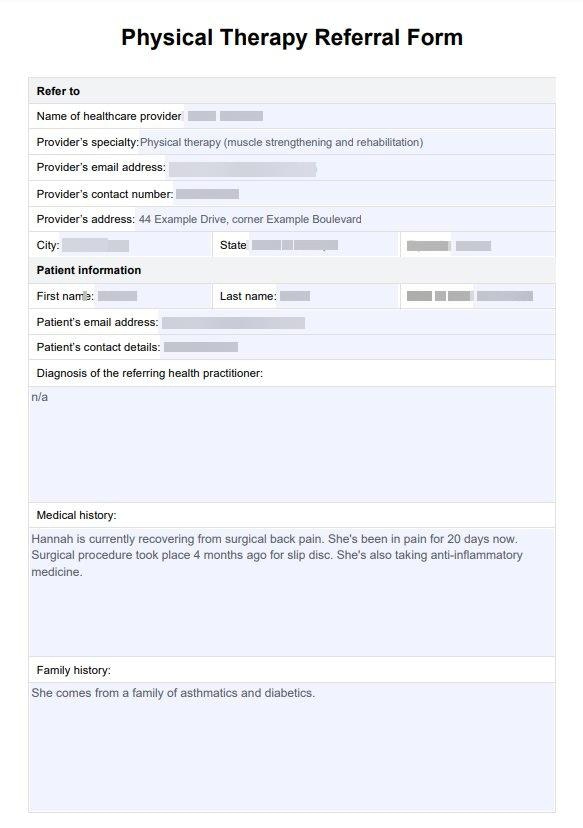
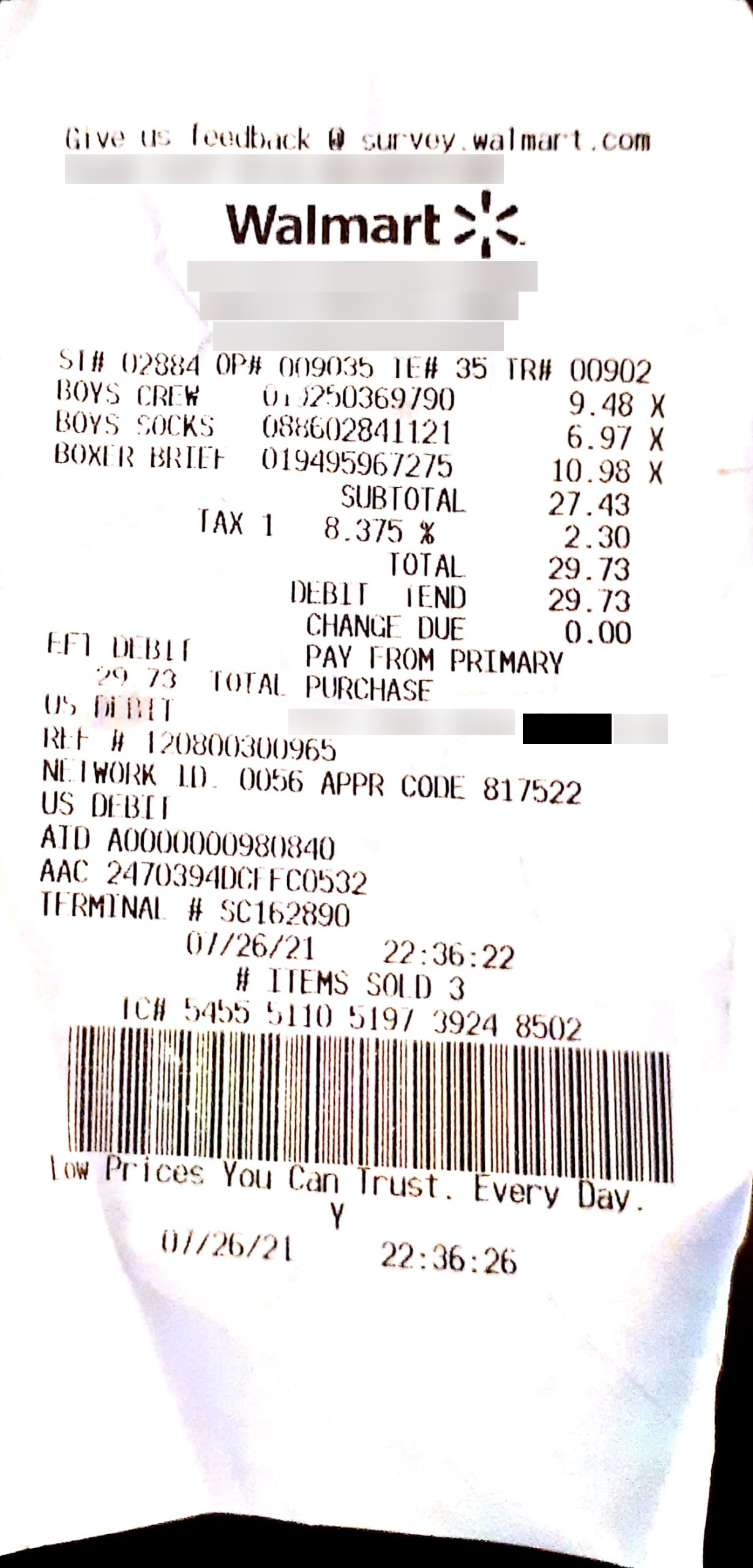
* **Redaction**: Detects and **blurs** sensitive information, making it unreadable while preserving document layout.
* **Edit (Replace)**: Detects sensitive information and **replaces** it with consistent dummy data (e.g. names become "John Smith", DOB becomes "10/06/1974"), producing a document that looks realistic but contains no real PII.
Each specialized domain follows industry-specific compliance standards, ensuring your documents are compliant while maintaining readability.
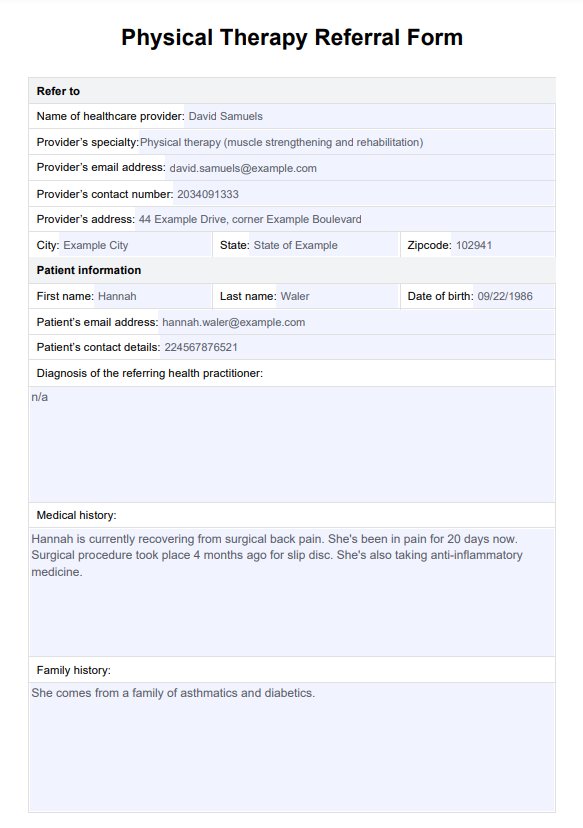
Original Document
Redacted Document
## Quick Start
Upload your document containing sensitive information:
```python theme={"theme":{"light":"github-light","dark":"dark-plus"}}
from vlmrun.client import VLMRun
from pathlib import Path
client = VLMRun(api_key="")
file_response = client.files.upload(
file=Path("path/to/your_document.pdf")
)
```
Choose the appropriate domain for your use case:
```python theme={"theme":{"light":"github-light","dark":"dark-plus"}}
response = client.document.generate(
domain="healthcare.phi-redaction", # Blur sensitive information
file=file_response.id,
batch=True
)
```
Or use the edit-replace variant to substitute PHI with dummy data:
```python theme={"theme":{"light":"github-light","dark":"dark-plus"}}
response = client.document.generate(
domain="healthcare.phi-edit-replace", # Replace with dummy data
file=file_response.id,
batch=True
)
```
Wait for completion and access the result:
```python theme={"theme":{"light":"github-light","dark":"dark-plus"}}
completed_response = client.predictions.wait(response.id, timeout=120)
detected_items = completed_response.response["detected_items"]
result_uri = completed_response.response["uri"]
print(f"Detected items: {detected_items}")
print(f"Processed document: {result_uri}")
```
## Available Domains
Choose the appropriate domain based on your document type, compliance requirements, and desired output:
### Redaction Domains (Blur)
These domains detect sensitive information and **blur** it in the output document:
| Use Case | Domain | Compliance Standards |
| ----------------------- | -------------------------------- | ------------------------- |
| **Healthcare PHI** | `healthcare.phi-redaction` | HIPAA Safe Harbor |
| **Resume Redaction** | `hr.resume-redaction` | GDPR, CCPA, CPRA |
| **Legal Documents** | `legal.document-redaction` | Attorney-Client Privilege |
| **Financial Data** | `financial.document-redaction` | PCI DSS, SOX, GLBA |
| **FOIA Requests** | `government.foia-redaction` | FOIA Regulations |
| **Insurance Documents** | `insurance.document-redaction` | Insurance Regulations |
| **Real Estate** | `real-estate.document-redaction` | Real Estate Privacy |
| **PII Redaction** | `document.pii-redaction` | CA Penal Code Section 741 |
### Edit Domains (Replace)
These domains detect sensitive information and **replace** it with consistent dummy data:
| Use Case | Domain | Compliance Standards |
| ----------------------- | ----------------------------- | -------------------- |
| **Healthcare PHI Edit** | `healthcare.phi-edit-replace` | HIPAA Safe Harbor |
## Key Use Cases
### Healthcare & Insurance
* **Medical Records**: Redact PHI for research and sharing
* **Insurance Claims**: Remove sensitive medical and personal information
* **Clinical Data**: Protect patient privacy in studies and trials
### Financial Services
* **Loan Applications**: Redact personal financial information
* **Account Statements**: Remove sensitive account details
* **Compliance Reports**: Prepare regulatory submissions
* **M\&A Documents**: Protect proprietary information during due diligence
### Legal & Government
* **Court Filings**: Prepare public documents with protected information
* **FOIA Requests**: Redact exempt information for public release
* **Discovery Materials**: Redact sensitive information during legal processes
* **Attorney Communications**: Protect privileged information
### HR & Recruitment
* **Resume Processing**: Enable blind hiring by removing bias-inducing information
* **Employee Records**: Protect personal and sensitive employee data
* **Background Checks**: Remove sensitive verification data
## Information Types Redacted
VLM Run automatically detects and redacts:
* **Personal Identifiers**: Names, SSNs, account numbers, driver's licenses
* **Contact Information**: Addresses, phone numbers, email addresses
* **Financial Data**: Account balances, salary information, credit scores
* **Medical Information**: PHI, medical record numbers, health conditions
* **Legal Information**: Case numbers, settlement amounts, privileged communications
* **Geographic Data**: Addresses, ZIP codes, neighborhood information
## Complete Examples
### Redaction (Blur)
```python theme={"theme":{"light":"github-light","dark":"dark-plus"}}
from vlmrun.client import VLMRun
from vlmrun.client.types import PredictionResponse, FileResponse
from pathlib import Path
client = VLMRun(api_key="")
file_response: FileResponse = client.files.upload(
file=Path("path/to/your_document.pdf")
)
response: PredictionResponse = client.document.generate(
domain="healthcare.phi-redaction",
file=file_response.id,
batch=True
)
completed_response = client.predictions.wait(response.id, timeout=120)
detected_items = completed_response.response["detected_items"]
redacted_uri = completed_response.response["uri"]
print(f"Detected items: {detected_items}")
print(f"Redacted document: {redacted_uri}")
```
### Edit (Replace with Dummy Data)
```python theme={"theme":{"light":"github-light","dark":"dark-plus"}}
from vlmrun.client import VLMRun
from vlmrun.client.types import PredictionResponse, FileResponse
from pathlib import Path
client = VLMRun(api_key="")
file_response: FileResponse = client.files.upload(
file=Path("path/to/medical_record.pdf")
)
response: PredictionResponse = client.document.generate(
domain="healthcare.phi-edit-replace",
file=file_response.id,
batch=True
)
completed_response = client.predictions.wait(response.id, timeout=120)
detected_items = completed_response.response["detected_items"]
edited_uri = completed_response.response["uri"]
print(f"Detected items: {detected_items}")
print(f"Edited document: {edited_uri}")
```
## Example Responses
### Redaction Response
```json theme={"theme":{"light":"github-light","dark":"dark-plus"}}
{
"id": "052cf2a8-2b84-45f5-a385-ccac2aae13bb",
"status": "completed",
"response": {
"detected_items": [
{
"item_type": "name",
"value": "John Doe"
},
{
"item_type": "ssn",
"value": "123-45-6789"
},
{
"item_type": "telephone_number",
"value": "(555) 123-4567"
}
],
"uri": "https://storage.googleapis.com/vlm-userdata/healthcare/phi-redaction/redacted-document.pdf"
}
}
```
### Edit Response
The edit response has the same structure. The `detected_items` list contains the original PHI values that were found and replaced with dummy data in the output document:
```json theme={"theme":{"light":"github-light","dark":"dark-plus"}}
{
"id": "a1b2c3d4-e5f6-7890-abcd-ef1234567890",
"status": "completed",
"response": {
"detected_items": [
{
"item_type": "name",
"value": "Jane Doe"
},
{
"item_type": "date_of_birth",
"value": "03/15/1985"
},
{
"item_type": "ssn",
"value": "987-65-4321"
}
],
"uri": "https://storage.googleapis.com/vlm-userdata/healthcare/phi-edit-replace/edited-document.pdf"
}
}
```
## Benefits
### Operational Efficiency
* **Automated Processing**: Reduce manual redaction time from hours to minutes
* **Batch Operations**: Process large document volumes efficiently
* **Error Reduction**: Eliminate human errors in manual redaction processes
* **Scalability**: Handle growing document volumes without additional staff
### Compliance & Security
* **Regulatory Compliance**: Meet industry-specific requirements (HIPAA, PCI DSS, SOX, GDPR, etc.)
* **Data Breach Prevention**: Irreversible redaction prevents data recovery
* **Audit Trail**: Comprehensive logging for compliance verification
* **Legal Protection**: Reduce liability from accidental data exposure
### Cost Savings
* **Reduced Manual Labor**: Automate time-consuming redaction tasks
* **Lower Error Costs**: Prevent expensive compliance violations
* **Improved Productivity**: Focus staff on high-value activities
* **Scalable Operations**: Handle volume increases without proportional cost increases
## Supported Documents
* **PDF Documents** - Reports, contracts, legal briefs, medical records
* **Scanned Images** - Faxed documents, handwritten forms, ID cards
* **Multi-page Documents** - Complete case files, comprehensive reports
* **Mixed Content** - Documents containing both text and images
* **Spreadsheets** - Financial models, budget documents, transaction records
## Security Features
* 🔒 **Encryption**: All documents encrypted in transit and at rest
* 🏛️ **Regulatory Compliance**: Meets industry-specific standards
* 🔑 **Access Controls**: Role-based access and authentication
* 📝 **Audit Logging**: Comprehensive audit trails for all activities
* ⏰ **Secure URLs**: Time-limited, secure access to redacted documents
* 🚫 **Irreversible Redaction**: Permanent data removal prevents recovery
* 🔄 **Consistent Replacement**: Edit mode uses the same dummy values throughout a document for consistency
## Real-World Examples
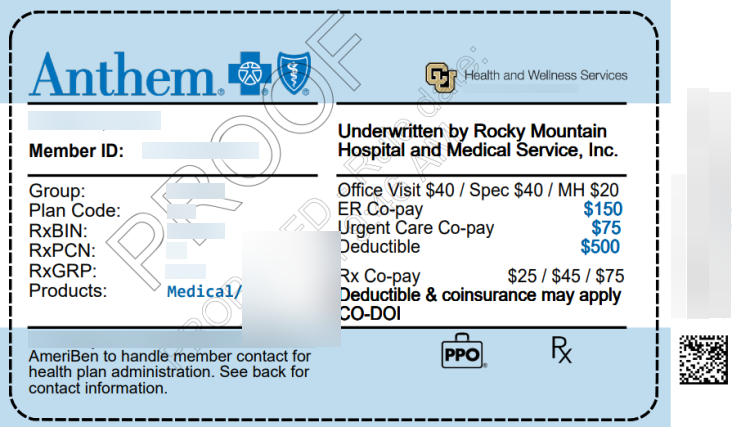
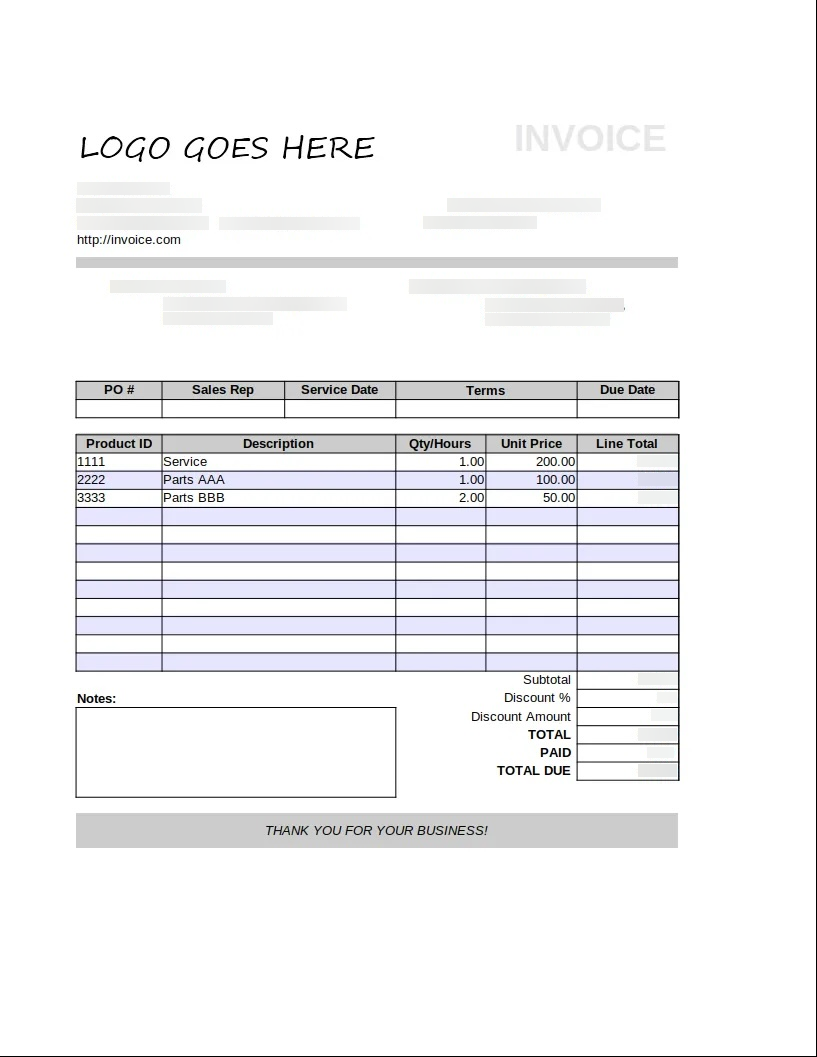
See VLM Run's document redaction in action across different industries:
Healthcare PHI Redaction
Legal Document Redaction

Insurance Document Redaction
Race Blind PII Redaction
## Related Capabilities
Extract structured data from documents before redaction processing.
Locate sensitive information with precise coordinates for targeted redaction.
Define custom redaction rules for specific compliance requirements.
Process large documents and complex multi-page reports.
## Try our Document -> JSON API today
Head over to our [Document -> JSON](/api-reference/v1/post-document-generate) to start building your own document processing pipeline with [VLM Run](https://vlm.run). Sign-up for access on our [platform](https://app.vlm.run).